9. Maintenance and cleanup
Maintenance helps control log growth and automate safe cleanup. In PRO, maintenance is based on per-log policy snapshots and can run manually or on a background schedule.
Optional file operation: Maintenance affects real log files only after you enable it and run it manually or by schedule. Review backup retention, action type and enrolled targets before enabling scheduled cleanup.
Automatic maintenance rules
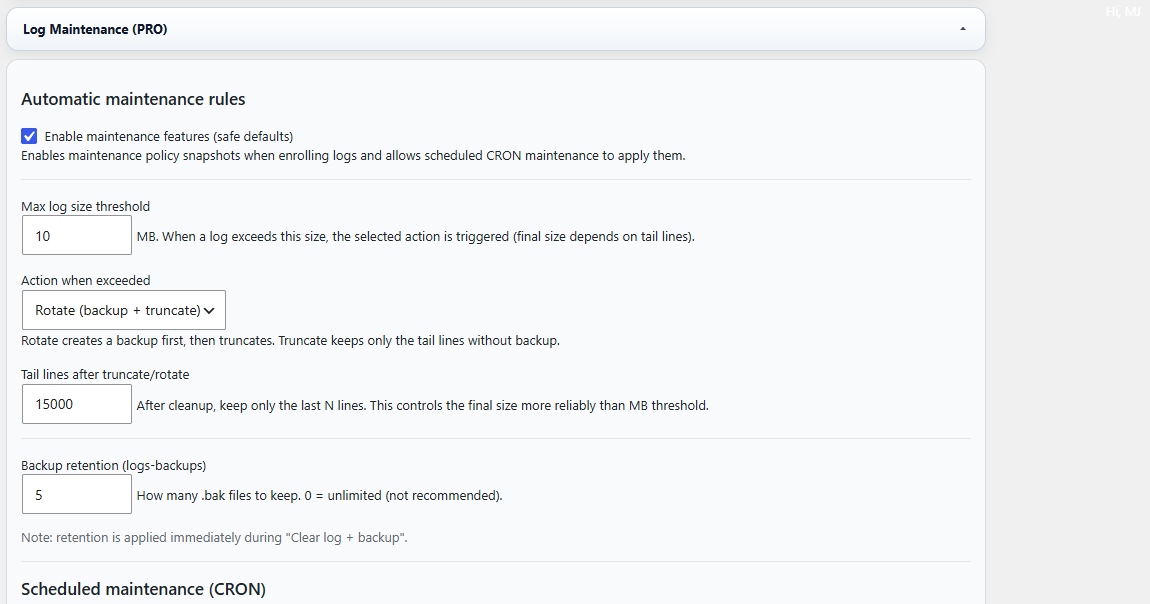
Figure 9A. Automatic maintenance rules — enable maintenance, define the max log size threshold, choose what happens when the limit is exceeded and set backup retention.
- Max log size threshold defines when a maintenance action should be triggered.
- Action when exceeded lets you rotate the log (backup + truncate) or use another configured cleanup method.
- Tail lines after truncate/rotate controls how many recent lines are kept after cleanup.
- Backup retention controls how many backup files should be kept.
Scheduled maintenance (CRON)
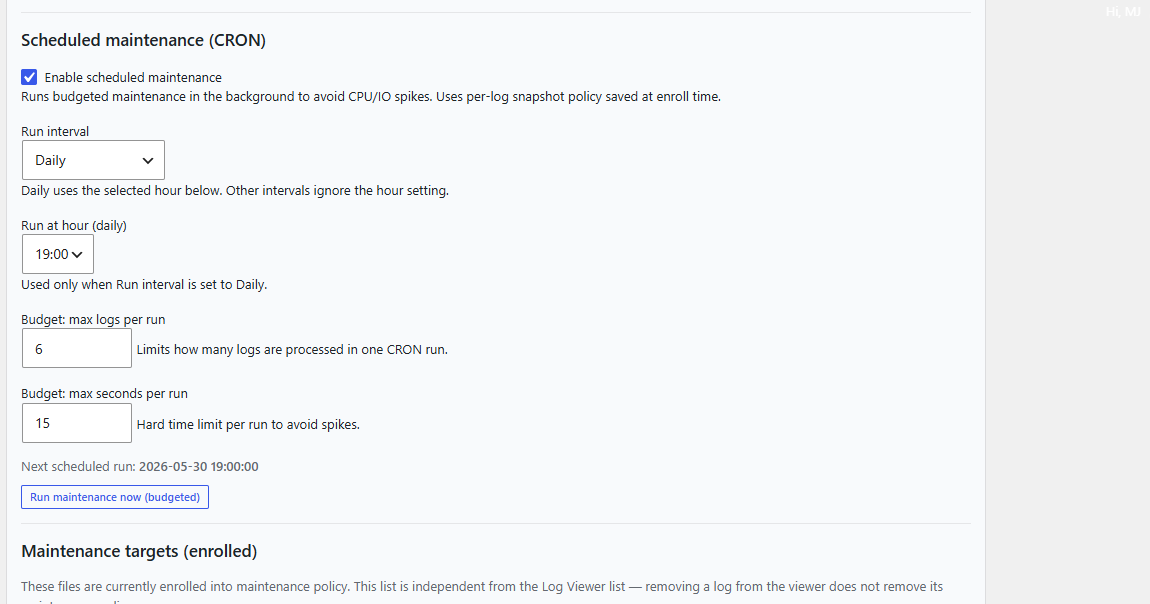
Figure 9B. Scheduled maintenance — enable background CRON maintenance, choose the interval and hour, and set a budget for how many logs and how many seconds each run may use.
- Run interval controls how often the maintenance task runs.
- Run at hour is especially useful for a daily low-traffic window.
- Budget: max logs per run and max seconds per run help avoid CPU or I/O spikes.
- Run maintenance now (budgeted) is useful for a controlled manual run.
Timezone: Daily scheduled maintenance uses the WordPress site timezone. If your local computer time differs from the WordPress timezone, the displayed “Next scheduled run” should be treated as the source of truth.
Scheduled maintenance: CRON / scheduled maintenance is the automatic maintenance mechanism for enrolled logs. The plugin also has housekeeping for its own scheduled tasks when configuration is restored or imported.
Maintenance targets (enrolled)
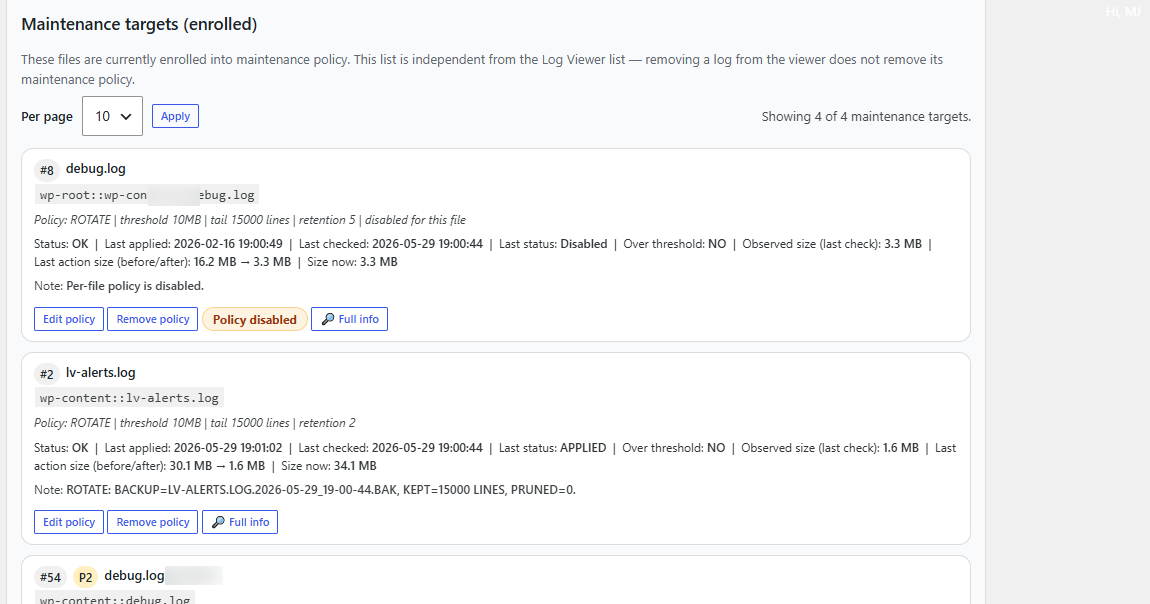
Figure 9C. Enrolled maintenance targets — each target shows its current policy snapshot, status, last check, observed size and quick actions such as Edit policy, Remove policy and Full info.
Recommended workflow
- Open PRO Settings → Log Maintenance (PRO).
- Enable maintenance features.
- Choose the size threshold, action type and number of tail lines to keep.
- Decide how many backup files should be retained.
- Enable scheduled maintenance if you want background cleanup.
- Review the enrolled targets list to confirm that the correct logs are covered.
- Use Run maintenance now (budgeted) for a controlled manual test.
Warning: Maintenance affects real log files. Review the selected action carefully before enabling scheduled cleanup.